


Traffic Racer Open World
4.6695.00 Reviews
App Specs
- Version
- 0.6.8
- Updated On
- License
- Free
- Downloads
- 10,000,000+
- Developer
- TOJ GAMES LLC
- Categories
- Racing
- Platform
- Android, iOS
Screenshots
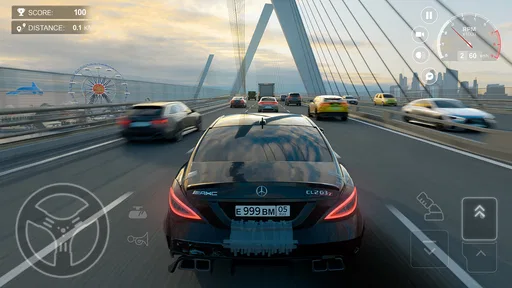
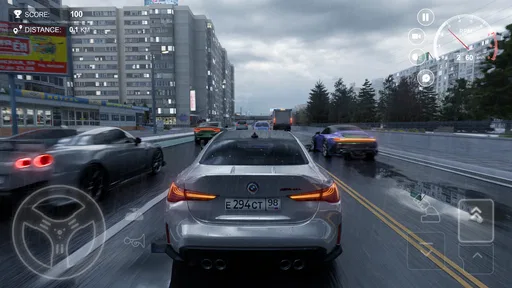
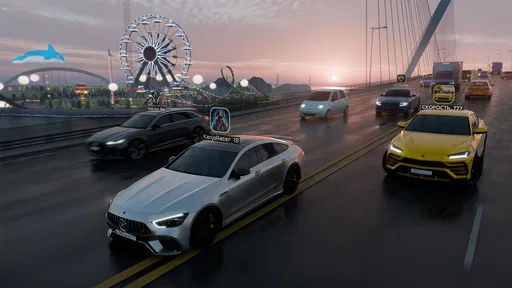
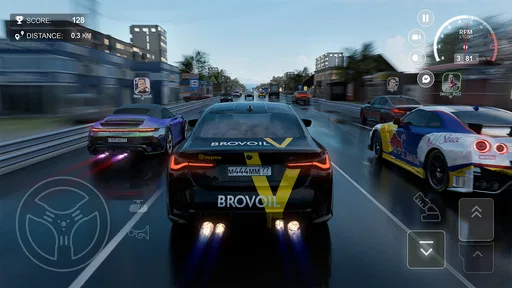
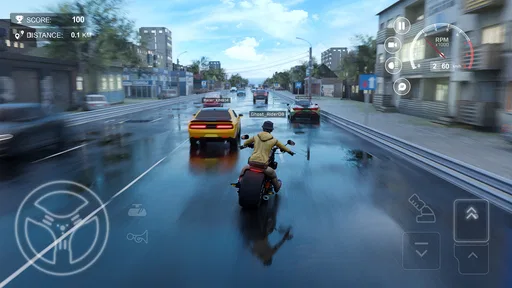
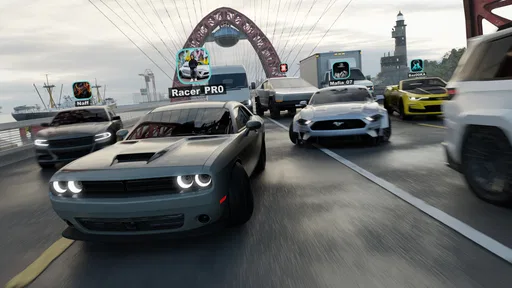
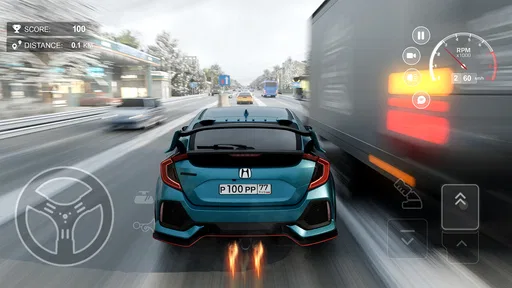
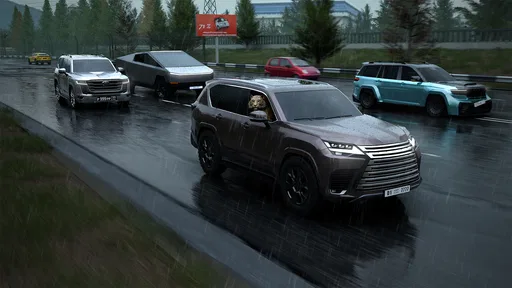
 Analysis by AppCompare
I find Traffic Racer Open World easiest to judge as a quick-drive game: it is built around taking a car onto busy roads and threading through traffic, rather than asking me to settle in for a long racing campaign. That makes it appealing when I want a short burst of concentration, but it also means the experience depends heavily on whether I enjoy the basic challenge of reading gaps and staying in motion.
It is a free racing game from TOJ GAMES LLC, with optional in-app purchases. The Everyone age rating makes it accessible to a broad audience, while the presence of purchases is worth keeping in mind if a child will be playing. Its 4.6 average from around 285,000 ratings and more than 10 million installs suggest that many players have found the road-racing premise approachable. Those figures offer context, not a guarantee that it will suit every taste.
Getting past the first roadblock
The first thing I would check before judging the game is whether I am looking for a specific kind of racing. Traffic Racer is about driving among road traffic, not simply competing on a closed circuit. If you prefer clearly marked laps, predictable racing lines, and a finish line that settles each contest, this may feel less focused than a conventional track racer. Its appeal is the moment-to-moment decision of where to steer as traffic closes around you.
That distinction matters because a player can mistake a difference in style for a problem. When a run feels messy, I would first ask whether I am comfortable with traffic-based driving and whether I am making small, deliberate steering corrections. Trying to force a track-racing approach—taking a fixed line and expecting other vehicles to behave like opponents—can make the road feel harder to read than it needs to be.
The game’s store summary describes online and multiplayer racing, so its appeal is not limited to driving alone. At the same time, I would not assume that every session depends on another player being available or that every mode works the same way. If your main reason for installing is multiplayer, check the options shown in the game itself before investing time or making a purchase. That is a sensible first step with any game whose appeal includes online play.
One useful habit is to begin by focusing on control and traffic awareness rather than trying to make every stretch of road into a risky pass. Look for openings early, leave yourself a way to correct course, and avoid steering sharply at the last moment. This sounds simple, but it changes the game from a string of panicked reactions into a series of manageable choices. I find that approach more rewarding than treating every gap as an invitation to squeeze through.
Check the basics before blaming the game
Traffic Racer was released on July 7, 2022, and its current version is 0.6.8. It requires Android 7.0 or later. If the game will not install or start, I would begin with those straightforward compatibility checks: confirm that the device meets the minimum operating-system requirement, make sure the download has completed, and restart the device before trying again. Those steps are more useful than repeatedly tapping the app icon when the underlying issue is an incomplete install or an unsupported system.
Worth Reading Before You Choose

EA SPORTS FC Mobile 26 Is a Bigger Football Game, but It Takes Time

Flipboard Shows What News Apps Must Do Beyond the Feed

Switching to Android Auto Means Rethinking Your Driving Routine

Google Calendar Makes a Crowded Week Easier to Manage

Ludo King Makes the Most of the Minutes Between Plans

Baby Panda World Brings Quick Play to Modern Phones, but Its Game Library Feels Busy
If the game opens but behaves inconsistently, close it fully and launch it again. On a device that has many other apps open, freeing some memory may also help reduce general sluggishness. These are ordinary troubleshooting steps, not a promise that every slowdown has the same cause. If other games or apps are also struggling, I would look at the device or its connection before concluding that this title alone is at fault.
For online play, check that the connection is stable before starting a session. A weak or interrupted connection can make online experiences frustrating, and switching between Wi-Fi and mobile data may help identify whether the issue is local to one connection. I would avoid making repeated purchases or reinstalling the game as a first response to a brief connection problem; test the basic connection and reopen the game first.
There is also a practical distinction between a game failing to load and a particular online option not behaving as expected. If the rest of the game works, restart it and check the relevant mode again when the connection is steady. If nothing changes, give the issue some time rather than repeatedly changing settings you do not understand. A calm, one-step-at-a-time check is less likely to create new confusion than changing several things at once.
A steadier way to recover a frustrating run
When a drive goes wrong, I find it more helpful to reset my approach than to chase the mistake with increasingly abrupt movements. A late swerve can turn one missed opening into a collision with another vehicle. Instead, ease off the urge to pass for a moment, scan for a clearer route, and wait until the next decision is obvious. In a traffic racer, choosing not to overtake is still a driving choice.
This is one of the less obvious skills the game encourages: managing your attention is as important as reacting quickly. I would keep my eyes on the road ahead rather than fixating on the nearest car. The nearest obstacle matters, but looking beyond it gives me more time to spot the next opening and avoid making a move that solves one problem while creating another.
If a run repeatedly feels unpredictable, change only one part of your approach at a time. Try making gentler corrections, waiting for wider gaps, or taking a short pause before restarting. That makes it easier to tell whether the difficulty came from rushed steering, distraction, or a genuine technical hitch. It also stops frustration from turning every attempt into the same hurried pattern.
Because the game includes online and multiplayer play, it is worth separating connection trouble from driving trouble. A difficult run is not automatically evidence of lag, and a connection issue is not something that can be fixed with better steering. If the road itself responds normally but an online session is disrupted, check the connection and retry later. If the connection is fine, concentrate on the driving decisions instead of changing network settings without a reason.
Where it fits among racing games
Compared with a typical circuit racer, Traffic Racer puts the road and surrounding traffic at the center of the challenge. That makes it a better fit for players who like fast decisions and weaving through moving obstacles than for people who want to learn a track, tune a racing line, or follow a structured championship. It can also work as a casual alternative to games that demand longer races, because its core appeal is easy to understand: stay composed and find a safe way through.
That simplicity has a trade-off. If you want a deep simulation, detailed vehicle setup, or a carefully staged career, this is probably not the first racing game I would recommend. The traffic-focused premise can feel repetitive if you do not enjoy refining the same basic skill across multiple drives. Players who want a more predictable contest may be happier with a lap-based racer; players who want precision vehicle handling may prefer a simulation-oriented title.
For an everyday use case, I can see it fitting into a short break: open the game, take a drive, and stop when I have had enough rather than needing to plan a long session. It is also an easy one to hand to someone who already likes casual racing and wants to try a different kind of road challenge. I would be less likely to recommend it for a quiet, low-stimulation break, since busy traffic and quick steering decisions are the point rather than an optional extra.
The game is free to download, but in-app purchases range from $0.99 to $69.99 per item. I would treat those as optional spending, not as a necessary part of trying the driving style. Before buying anything, spend time with the free experience and decide whether the core traffic challenge is genuinely fun for you. If a younger player is using it, agree on purchase boundaries in advance; the Everyone rating does not remove the need to manage spending.
What the numbers say—and what they cannot decide
A 4.6 average across roughly 285,000 ratings is a strong sign that the game has found an audience, and more than 10 million installs show that it has reached plenty of players. I would read that as evidence of broad interest in its accessible traffic-racing idea, not as proof that it offers the depth or polish every racing fan wants. A large audience can include casual players who value quick driving just as much as enthusiasts seeking a serious racer.
The developer is TOJ GAMES LLC, and the version currently identified as 0.6.8 is useful to know if you are comparing notes with someone using the game. The version number alone does not tell me how the experience will feel on a particular device, so I would still make the basic compatibility and connection checks first if something goes wrong. Keeping those details in mind can prevent an avoidable troubleshooting spiral.
Who I would recommend it to
I would recommend Traffic Racer to someone who enjoys traffic-dodging, wants a racing game that is easy to approach, and does not need every session to revolve around a formal track race. It is especially suited to players who like testing their timing and patience: the satisfying move is often not the flashiest pass, but the one that leaves enough room to keep driving safely.
I would skip it if your priority is a racing simulator, a structured career, or a calm game that does not demand constant attention. I would also pause before downloading if online competition is your only interest and you have not yet checked the available modes in the game. Those are not flaws for every player; they are differences in what the game asks you to enjoy.
Making it fit your routine
A practical way to decide whether the game suits you is to try it when you have a few uninterrupted minutes, rather than squeezing a drive into a moment when you need to watch something else. Traffic is the main challenge, so divided attention can make the experience feel unfair when the real issue is that you are glancing away. If you often play with interruptions, treat each attempt as disposable and stop when you cannot give the road your attention.
It is also worth deciding what you want from a session before opening the game. If you are after a relaxed change of pace, aim for controlled driving instead of trying to force a risky run. If you want a more demanding burst of focus, you can gradually take on tighter openings as your reading of traffic improves. That small adjustment lets the same basic premise serve different moods without expecting it to become a different kind of racer.
What to expect from online play and spending
If multiplayer is the deciding factor, I would explore the in-game options before making it the reason for a purchase or recommending it to a friend. Online play can add a social angle, but it is sensible to have a fallback plan: if a session is unavailable or the connection is unstable, the traffic-driving challenge may still be the reason to keep playing. That distinction helps set expectations without treating every connection hiccup as a failure of the whole game.
For families, free access makes it possible to try the driving style before spending, while optional purchases mean that a child’s device settings and household rules still matter. I would not buy an item simply because a run felt difficult; first decide whether you enjoy the basic play and whether the purchase addresses something you actually want. With a broad price range, pausing to review a purchase is a better habit than treating every prompt as part of the route to progress.
Who I would recommend it to
I would recommend Traffic Racer to someone who enjoys traffic-dodging, wants a racing game that is easy to approach, and does not need every session to revolve around a formal track race. It is especially suited to players who like testing their timing and patience: the satisfying move is often not the flashiest pass, but the one that leaves enough room to keep driving safely.
I would skip it if your priority is a racing simulator, a structured career, or a calm game that does not demand constant attention. I would also pause before downloading if online competition is your only interest and you have not yet checked the available modes in the game. Those are not flaws for every player; they are differences in what the game asks you to enjoy.
My practical verdict is that Traffic Racer Open World is worth trying if busy-road driving sounds more fun than racing around a fixed circuit. Start with the basics, keep your movements measured, and give yourself time to learn how you read traffic. The game is at its best when I treat every opening as a choice rather than a dare; if that kind of quick judgement is what you want from a racer, it can make a short break feel engaging without requiring a complicated setup.
Pros
- Open-world roads offer more freedom than a fixed racing track.
- Traffic dodging makes even short drives feel active.
- A useful pick-up-and-play option for quick sessions.
- Multiple routes add variety to exploring the map.
- Driving challenges can help keep repeat runs engaging.
Cons
- Busy traffic can make collisions feel unavoidable at times.
- Open-world driving may feel aimless without clear goals.
- Repeated road layouts can reduce the sense of exploration.
- Progress may take time if upgrades depend on repeated runs.
- Performance and controls can vary across devices.
FAQs for Traffic Racer Open World
What is Traffic Racer Open World?
Traffic Racer Open World is a driving game built around exploring open roads and navigating traffic. Rather than focusing only on short, fixed races, it lets players drive through a broader environment and work on staying in control among other vehicles. Check the current store listing for the game’s exact modes, locations, and features, since these can vary by version and platform.
Is Traffic Racer Open World free to download?
The game may be available to download without an upfront purchase, but that does not necessarily mean every feature is free. Depending on the current version, it may include advertisements, optional in-app purchases, or unlockable content. Review the Google Play or App Store listing before installing to confirm the price, purchase options, and any regional availability details.
Can I play Traffic Racer Open World offline?
Offline availability can depend on the game version and which features you want to use. Basic driving may work without a continuous connection, while advertisements, online services, or other connected features may require internet access. If you plan to play while travelling or away from Wi-Fi, check the store description and test the game’s available modes before relying on offline play.
Is Traffic Racer Open World suitable for beginners?
The open-road driving format can be approachable for newcomers, as players can practise steering and reacting to traffic at their own pace. However, busy roads and fast driving may take some getting used to, particularly on a touchscreen. Before downloading, check the screenshots and description for details about controls and difficulty, and consider whether the driving style suits your preferences.
What should I check before downloading Traffic Racer Open World?
Confirm that the listing is for the intended game and that your Android or iOS device meets its current requirements. It is also worth checking the latest update date, user reviews, requested permissions, file size, and whether the app contains ads or in-app purchases. These details can change over time, so use the official app store listing as the final reference.


